


Master real-world projects, build your portfolio, and get internship or freelance opportunities — with Tamil-English support and flexible online or onsite options.






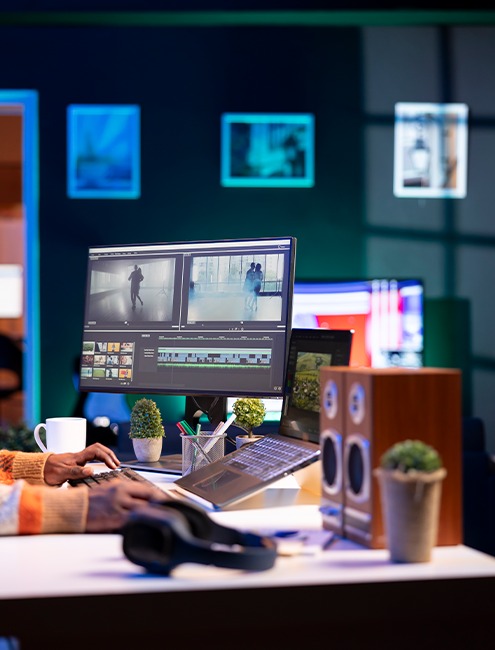
Master professional video editing from scratch. Learn Premiere Pro, After Effects, and CapCut. Create stunning videos, reels, animations, and motion graphics. Build your portfolio and start earning as a video editor.
Before Marazin Academy, I was just shooting videos on my phone with no editing skills. Now I edit professional YouTube videos and reels for local businesses. The course was intense but worth every minute!
H.M. Hizaam's teaching style is amazing! I learned Premiere Pro, After Effects, and how to create viral reels. Within weeks of completing the course, I was getting freelance projects. My income has tripled!
The motion graphics and animation training was exceptional! I now create stunning intros, ads, and social media content. Started my own video editing agency after this course. Highly recommend!
Discover the unique advantages that make Marazin Academy the perfect choice for your learning journey
We teach from the basics, step by step.
Every class ends with a hands-on task.
You'll finish with client-ready work to show.
Career guidance, interview prep, and freelance playbook.
Telegram group + office hours for doubts.
Get certified and boost your career prospects.
Discover if this course is the perfect fit for your learning goals and career aspirations
Who want to edit professional-quality videos.
A/L, HNDIT, undergrads and career switchers.
Who want to start earning with video editing.
Master professional video editing tools and techniques to create stunning content
Bonus: DaVinci Resolve basics, Sound design tips, On-site bonus: Advanced color grading & professional workflow
Complete projects that showcase your professional skills
Real-world projects that build your portfolio
Complete video with intro, transitions, and effects
5 trending reels with music sync and effects
Animated logo reveal and title sequence
30-second promotional video with call-to-action
Professional portfolio showcasing all your best work
Intensive 4-week program to master video editing from basics to professional
Learn from industry professionals with real-world experience
Expert in Premiere Pro, After Effects, and motion design. 6+ years creating viral content for brands and content creators. Specialized in reels, commercials, and YouTube videos.
80% required (live tracks only)
Submit edited videos on Telegram & upload portfolio to YouTube/Behance
Mandatory (80% project submission required)
Laptop with 16GB RAM (min 8GB) + stable internet + mouse
1 month • Live classes • Recordings • Stock footage
Installments available (ask on WhatsApp)
Early-bird discounts for first 20 enrollments—check with our team
No. We start from absolute basics and build your skills progressively. Even if you've never opened editing software, you'll be fine!
A laptop with 16GB RAM (minimum 8GB), internet connection, and we'll provide Adobe Creative Cloud access. A good mouse is recommended for precise editing.
Yes! Our intensive program covers all essentials. With daily practice and assignments, you'll be job-ready by the end of the month.
Online students: Yes, live classes + recordings. You'll also get access to stock footage, music libraries, and project files.
Yes—Portfolio setup on Behance/YouTube, freelance platform guidance (Fiverr, Upwork), pricing strategies, and client communication tips.
Yes, a Certificate of Completion from Marazin Academy upon completing all projects and final showreel.
Yes—Kalmunai location (subject to seat availability). Offline students get hands-on editing sessions and real-time feedback.
Online